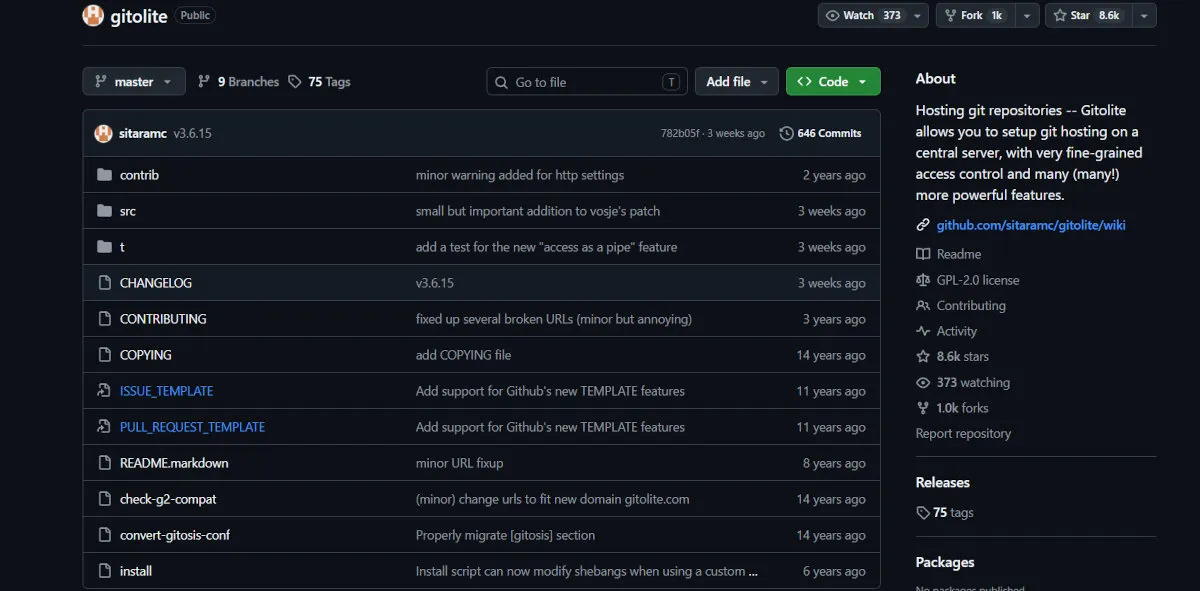
Gitolite: Fine-Grained Access Control Over Plain Git
Table of Contents
- Introduction
- Key Features at a Glance
- The Gitolite Philosophy: Who Is It For?
- GitHub vs. Gitolite: A Quick Comparison
- How Access Control Actually Works
- Setting Up Gitolite
- Pros and Cons
- Frequently Asked Questions (FAQ)
- Conclusion
- Getting Started & Further Reading
Introduction
Every other platform in this series is, in some sense, a full application: a web UI, a database, issue tracking, often CI/CD, all sitting in front of Git. Gitolite is the opposite kind of tool entirely. It doesn’t host a web interface. It doesn’t track issues. It doesn’t run pipelines. It does exactly one thing: it decides who is allowed to read from, write to, or manage a Git repository, and it does that decision-making with a precision most full platforms don’t even attempt.
Gitolite sits between SSH and a collection of bare Git repositories on a server you control. Instead of giving every collaborator a real Unix shell account, everyone connects through a single shared system user (typically named git), and Gitolite identifies each person by their SSH public key. From there, a single plain-text configuration file determines exactly what that key is allowed to do, down to individual branches and tags within a specific repository.
It’s the tool you reach for when you want proper multi-user Git access control, and nothing else, on a server that’s otherwise entirely yours.
Key Features at a Glance
| Feature | Description | Key Benefit |
|---|---|---|
| SSH-Key-Based Identity | Every user is identified by their public key rather than a system account, all traffic goes through one shared SSH user. | No shell accounts to provision or lock down; adding or removing a collaborator is just adding or removing a key. |
| Per-Branch and Per-Tag Rules | Core access rules (“refexes”) can restrict pushes to specific branches or tags, not just the repo as a whole. | Lets you allow developers to push feature branches freely while restricting main or release tags to a smaller group. |
| Path and File-Level Rules (VREFs) | An advanced rule type, separate from the basic branch/tag rules, that can restrict pushes based on file paths, file counts, commit authorship, and more. | Covers restrictions the basic permission model can’t, without needing a separate tool. |
| Git-Versioned Configuration | The entire access control policy lives in a single config file, itself managed inside a special Git repository. | Every permission change is a commit: reviewable, revertable, and fully auditable through normal Git history. |
| Wildcard Repositories | Repository name patterns can auto-create matching repos on first push, each with its own designated owner. | Useful for personal or per-team sandbox repos without an admin manually creating each one. |
| Delegation | Large configurations can be split into multiple files, with parts of the policy delegated to sub-administrators. | Lets a central admin hand off day-to-day access management for specific teams without giving away full control. |
The Gitolite Philosophy: Who Is It For?
Gitolite’s philosophy is do one job, and do it with more precision than anything else. It has no interest in being a forge. It exists because “give everyone a Unix account and manage .ssh/authorized_keys by hand” doesn’t scale past a handful of users, and because most full hosting platforms don’t offer branch-level access control, let alone the path- and file-level rules Gitolite can enforce through VREFs.
This makes it the right choice for:
Security-Conscious Teams Running Their Own Server: If you already run bare Git repositories over SSH and just need real multi-user permissions, Gitolite is a natural, minimal next step.
Teams That Need Branch-Level Restrictions: Organizations where only a release manager should be able to push to main or delete tags, while everyone else works freely on feature branches, get that out of the box.
Environments Pairing Git with a Separate Review or CI Tool: Gitolite is commonly used underneath tools like Gerrit for code review or a separate CI system, since it deliberately stays out of those layers.
Anyone Who Wants Auditable, Config-as-Code Access Control: Because permissions live in a Git repository themselves, every access change has a commit author, a timestamp, and a diff.
If your idea of a good access control system is “a text file I can git log,” Gitolite was built for exactly that instinct.
GitHub vs. Gitolite: A Quick Comparison
| Aspect | GitHub | Gitolite |
|---|---|---|
| Primary Focus | A complete collaborative platform: hosting, review, issues, and automation. | Access control for Git repositories, and nothing else. |
| Web Interface | Full-featured web UI for browsing code, PRs, and issues. | None built-in; typically paired with a separate tool like cgit or gitweb for browsing. |
| Access Model | Per-repository roles managed through the web UI or API. | Per-branch and per-tag write rules by default, with path- and file-level rules available through VREFs, all defined in a single version-controlled config file. Read access is effectively whole-repository, since Git itself has no native concept of partial read access. |
| Issue Tracking / PRs | Fully integrated. | None; pull requests and code review require a separate tool entirely. |
| CI/CD | Fully integrated GitHub Actions. | None; Gitolite has no concept of pipelines or automation beyond standard Git hooks. |
| Hosting Model | Cloud (SaaS) and self-hosted (Enterprise). | Self-hosted only, on infrastructure you already control. |
How Access Control Actually Works
Gitolite’s entire configuration lives in one place: a special repository called gitolite-admin, which is itself managed with Git. Inside it, conf/gitolite.conf defines repositories, groups, and permission levels, and the keydir/ directory holds one public key file per user.
# conf/gitolite.conf
# Rule order matters: for a given ref, the first matching rule wins,
# so the deny rule for "main" must come before the broader RW line below it.
@developers = alice bob carol
@release-managers = dave

repo project-x
    RW+     =   @release-managers
    -   main    =   @developers
    RW      =   @developers
    R       =   @all
In this example, everyone in @developers can push freely to any branch except main, which only @release-managers can push to (and force-push or delete, thanks to the RW+ permission). Anyone in the @all pseudo-group can read the repository. To apply a change, an administrator edits this file, commits it, and pushes it back to gitolite-admin: Gitolite picks up the new rules immediately, with no service restart required.
Rules like the ones above (called “refexes”) cover branches and tags, which is what most teams need. For anything more specific, such as restricting who can touch a particular file path, capping the number of files in a push, or requiring a commit’s author to match the pushing key, Gitolite offers a separate, more advanced rule type called VREFs (virtual refs). They’re not part of the basic permission model shown here, but they exist precisely to cover the cases refexes can’t.
Wildcard repositories extend this further, letting a pattern like dev/CREATOR/.* automatically create a new repository the first time someone pushes to a matching name, with that person set as its owner and given full control over its own access rules within the bounds the admin allows. For teams running more than one Gitolite server, built-in mirroring can also keep repositories in sync across hosts, and while SSH is the standard transport, Gitolite can also be configured to serve repositories over smart HTTP.
Setting Up Gitolite
- Provision a Server and a Git User: Create a dedicated system user, typically named
git, that all SSH connections will share. - Install Gitolite: Most distributions package it directly (
apt install gitolite3on Debian/Ubuntu), or you can clone it from its GitHub repository and run the bundled installer. - Initialize with an Admin Key: Run
gitolite setup -pk admin.pub, using the public key of whoever will administer the server. This bootstraps thegitolite-adminrepository and makes that key the platform’s first administrator. - Clone the Admin Repository: From your own machine, clone
git@yourserver:gitolite-admin.gitto start managing configuration. - Add Repositories and Users: Edit
conf/gitolite.confto define repositories and permission rules, and drop each collaborator’s public key intokeydir/asusername.pub. - Commit and Push: Push your changes back to
gitolite-admin. Gitolite applies the new configuration immediately.
# Cloning a repo once you've been granted access
git clone git@yourserver:project-x.git
Pros and Cons
Why You Might Choose Gitolite
Extremely Precise Access Control: Branch and tag rules, extendable to path- and file-level restrictions through VREFs, go well beyond what most full hosting platforms offer natively.
Fully Auditable by Design: Because the configuration itself is a Git repository, you get a complete, tamper-evident history of every permission change for free.
Minimal Resource Footprint: There’s no database, no background service beyond sshd, and no web server to run unless you choose to add one for browsing.
Composable with Other Tools: It pairs cleanly with code review systems like Gerrit, or with lightweight browsers like cgit, letting you assemble exactly the stack you need.
Free and Open Source: No licensing costs, and the entire tool is a set of Perl scripts you can read end to end if you need to.
Potential Drawbacks
No Web Interface: Browsing code, reviewing diffs, and managing repositories all happen through Git and the config file. There’s no dashboard.
No Issues, PRs, or CI/CD: Anything beyond raw access control requires bolting on separate tools yourself.
Development Moves Slowly: Gitolite is mature and stable, with occasional maintenance releases rather than the rapid feature growth of modern forges; most users treat it as a finished, dependable tool rather than one gaining new features often.
Requires Comfort with SSH and Plain-Text Config: There’s no GUI for any of this. Teams uncomfortable with SSH keys and hand-edited config files will find the learning curve real.
You Own the Server: As with any self-hosted tool, backups, updates, and the underlying OS are entirely your responsibility.
Frequently Asked Questions (FAQ)
Q: Does Gitolite have a web interface? A: Not built-in. It’s commonly paired with a separate, lightweight code browser like cgit or gitweb, which read the same bare repositories Gitolite manages access to.
Q: Can I use Gitolite alongside GitLab or Gitea? A: Not really, in the sense of layering them together. Those platforms manage their own access control internally, so Gitolite is typically an alternative to them for teams that specifically want its finer-grained, config-as-code permission model, rather than a companion to them.
Q: Is Gitolite still maintained? A: Yes, though at a measured pace rather than a fast-moving one. It still receives occasional maintenance releases and the author remains responsive on the mailing list, but most users correctly treat it as a mature, stable tool rather than one expecting frequent new features.
Q: How is Gitolite different from just using bare Git repos with SSH? A: Bare repos over SSH alone give you either full access or no access per Unix account. Gitolite adds a permission layer on top: per-branch and per-tag rules, path- and file-level restrictions through VREFs, key-based identity without shell accounts, and a version-controlled audit trail, all without you writing that logic yourself.
Q: Is Gitolite related to Gitosis? A: They solve the same underlying problem, but Gitolite was written afterward specifically to address Gitosis’s more limited, whole-repository-only permission model. Gitosis has been effectively abandoned for years, while Gitolite remains the actively used option of the two.
Conclusion
Gitolite will never appear on a list of GitHub competitors in the way GitLab or Gitea do, because it isn’t trying to be a forge at all. It’s infrastructure: a small, sharp tool that solves the specific, recurring problem of who gets to push what, where, on a server you already run. For teams that want that problem solved with real precision, and are willing to manage it through SSH keys and a config file instead of a settings page, nothing else in this series comes close.
If you need a dashboard, pull requests, and CI/CD in one package, look elsewhere in this guide. If you need exact, auditable control over who can touch which branch of which repository, Gitolite still does that better than almost anything built since.
Getting Started & Further Reading
Official Repository: https://github.com/sitaramc/gitolite
Documentation: https://gitolite.com/gitolite/
Admin Guide: https://gitolite.com/gitolite/admin.html