Harness Gitness and OneDev: Two All-in-One Self-Hosted Git Platforms
Table of Contents
- Introduction
- Key Features at a Glance
- The Gitness Philosophy: Who Is It For?
- GitHub vs. Gitness: A Quick Comparison
- Gitness vs. OneDev: Two Different All-in-One Approaches
- Getting Started with Gitness
- Pros and Cons
- Frequently Asked Questions (FAQ)
- Conclusion
- Getting Started & Further Reading
Introduction
Gitea and Forgejo, both covered elsewhere in this series, deliberately keep CI/CD as an optional add-on rather than a core feature. GitLab goes the opposite direction, bundling everything into one large, resource-hungry platform. Gitness and OneDev both try to land somewhere in between: lightweight, self-hosted, and genuinely all-in-one, with Git hosting, code review, and CI/CD pipelines built into the same install from day one.
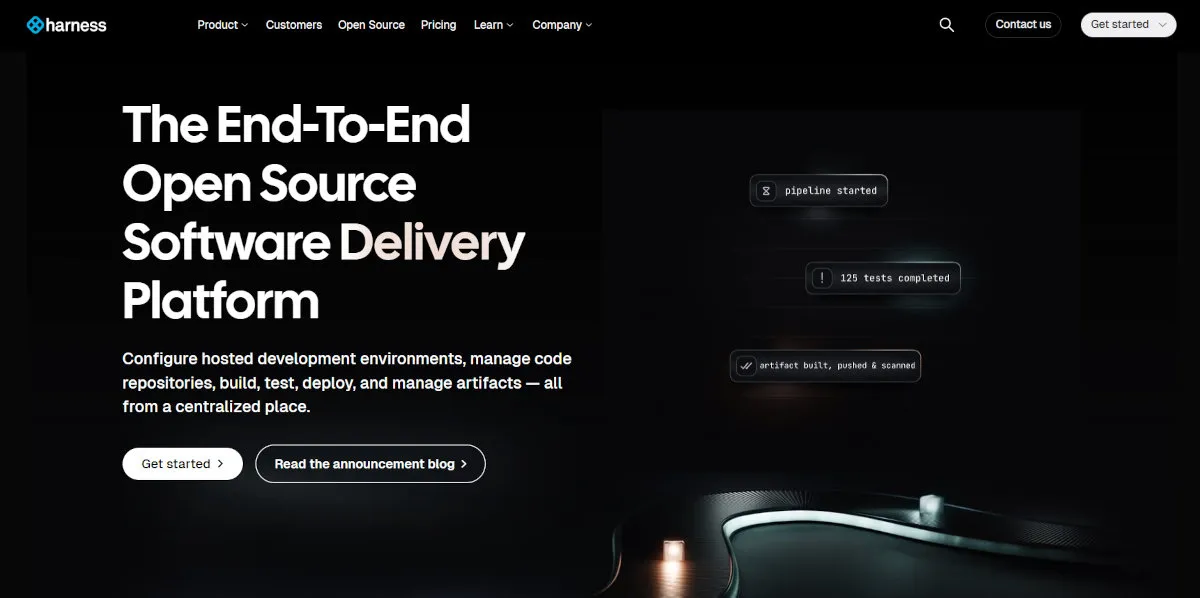
Gitness was the name Harness, the commercial DevOps company behind Harness CI/CD, gave to its open-source Git platform at launch in 2023. The effort has since continued under the broader Harness Open Source umbrella, so you’ll see both names in the wild: source and packaging increasingly live under harness/harness rather than the original harness/gitness, though configuration still commonly uses GITNESS_-prefixed environment variables. This article uses “Gitness” throughout as the name most readers will recognize, while pointing to current official sources at the end. It’s written in Go, ships as a single binary or container, and bakes pipeline execution directly into the platform rather than treating it as a plugin.
OneDev takes a similar “everything included” philosophy but arrives at it independently: a Java-based, self-hosted Git server with built-in CI/CD and unusually capable Kanban-style issue boards, developed outside any larger company’s product line.
Both exist because plenty of teams want the convenience of GitLab’s all-in-one model without GitLab’s operational weight. They just get there in different ways, and for different kinds of teams.
Key Features at a Glance
| Feature | Description | Key Benefit |
|---|---|---|
| Single-Binary Deployment | Gitness is written in Go and distributed as a single binary or lightweight container image. | Minimal setup compared to multi-service platforms like GitLab, with fast startup and low resource overhead. |
| Built-In CI/CD Pipelines | Pipelines are defined in YAML and executed natively within Gitness, with no separate CI server required. | Removes the need to run Jenkins, Drone, or another CI tool alongside your Git host. |
| Git Hosting and Code Review | Repository hosting, pull requests, and code search are built directly into the same application. | One tool covers the core “write code, review it, ship it” loop without assembling separate services. |
| Corporate Backing | Gitness is developed and funded by Harness, a well-capitalized DevOps company, rather than a volunteer community. | Consistent development funding, though the roadmap is ultimately shaped by a company’s commercial priorities. |
| OneDev’s Built-In Kanban Boards | OneDev pairs its Git hosting and CI/CD with unusually capable Kanban-style issue boards for agile workflows. | Covers lightweight project management alongside code, without a separate tool like Jira or Trello. |
| OneDev’s Package Registries and Code Search | OneDev also includes built-in package registries and language-aware symbol search across repositories. | Covers artifact hosting and precise code navigation without adding yet another separate service. |
The Gitness Philosophy: Who Is It For?
Gitness’s philosophy is Git hosting and CI/CD shouldn’t be two separate systems you have to wire together. Where Gitea treats pipelines as something you bolt on later, Gitness treats them as part of the core product from the start, while still staying closer to Gitea’s lightweight footprint than GitLab’s.
This makes it the right choice for:
Small Teams That Want CI/CD Without Extra Infrastructure: If running a separate Jenkins or Drone instance alongside your Git server feels like overkill, Gitness’s built-in pipelines remove that extra moving part entirely.
Teams Comfortable with a Corporate-Backed Open-Source Project: Unlike Gitea or Forgejo’s community governance model, Gitness’s development is funded by Harness. That’s a meaningful trade-off worth being clear-eyed about, in either direction.
Go-Preferring Self-Hosters: If you’d rather run a single Go binary than a JVM application or a multi-container GitLab deployment, Gitness fits that preference directly.
Teams Already Curious About Harness’s Broader Platform: Organizations that might eventually want Harness’s commercial CI/CD, feature flags, or delivery tooling have a lightweight, free on-ramp in Gitness.
If your priority is a lightweight self-hosted Git server that doesn’t force you to bolt on a separate CI system to get pipelines working, Gitness is built specifically for that gap.
GitHub vs. Gitness: A Quick Comparison
| Aspect | GitHub | Gitness |
|---|---|---|
| Primary Focus | A complete, cloud-hosted platform for collaboration at any scale. | A lightweight, self-hosted Git platform with CI/CD built in from the start. |
| CI/CD | Fully integrated GitHub Actions, run on GitHub’s infrastructure or self-hosted runners. | Native, built-in pipeline execution, run entirely on your own infrastructure. |
| Governance | A commercial product owned by Microsoft. | Open source, developed and funded by Harness, a commercial DevOps company. |
| Hosting Model | Cloud (SaaS) and self-hosted (Enterprise). | Self-hosted only. |
| Resource Footprint | Not applicable; runs on GitHub’s infrastructure. | Lightweight; a single Go binary or container, closer to Gitea than to GitLab. |
Gitness vs. OneDev: Two Different All-in-One Approaches
If Gitness’s pitch is “Git hosting and CI/CD in one lightweight Go binary, backed by a company,” OneDev’s is “Git hosting, CI/CD, and genuinely capable issue boards in one Java application, built independently of any larger platform’s product roadmap.”
The practical differences that matter most when choosing between them:
Runtime and Footprint: Gitness runs on Go, giving it a smaller footprint and faster startup, similar in spirit to Gitea. OneDev runs on the JVM, which brings the same general resource trade-offs as other Java-based tools covered in this series, such as GitBucket.
Issue Tracking Depth: OneDev’s Kanban boards are noticeably more developed than Gitness’s issue tracking, making it a stronger fit for teams that want real agile project management alongside their code, not just a basic ticket list.
Who’s Behind It: Gitness is backed by Harness’s engineering resources and commercial interests. OneDev is developed independently, outside of any larger company’s product strategy, which shapes its incentives differently: no natural upsell path, but also no risk of features being held back for a paid tier down the line.
Maturity of the CI Model: Gitness’s pipeline syntax reflects Harness’s broader CI/CD product experience. OneDev’s built-in CI/CD is capable but has a smaller surrounding ecosystem of examples and community-shared configurations.
Neither is strictly better. Teams that want a fast, Go-based tool with a company standing behind its development tend to prefer Gitness. Teams that want stronger built-in project management and are comfortable with a JVM footprint tend to prefer OneDev. Neither platform is limited to running CI on a single machine, either; both support running pipeline steps through containers or agents rather than only on the host they’re installed on.
Getting Started with Gitness
- Run Gitness via Docker: The fastest path to a working instance is the official Docker image.
- Access the Web UI: Once running, open the exposed port in your browser and complete the initial admin account setup.
- Create a Repository: Use the web UI to create a new repository, or push an existing one to your Gitness instance over Git.
- Write a Pipeline: Add a pipeline YAML file to define build, test, and deploy steps that Gitness will run automatically on new commits.
- Open a Pull Request: Push a feature branch and open a pull request to see code review and pipeline execution working together.
# Running Gitness locally via Docker
docker run -d \
  -p 3000:3000 \
  -v /var/run/docker.sock:/var/run/docker.sock \
  -v gitness_data:/data \
  --name gitness \
  harness/gitness
Check the current Harness Open Source docs before deploying: the image name and environment variables above reflect the project’s original Gitness-era setup, and while they still commonly work, newer installs may reference harness/harness instead. Note too that mounting the Docker socket, as shown above, is what lets Gitness’s built-in pipelines actually run containerized CI steps; without access to a Docker daemon, that part of the platform has nothing to execute against.
Pros and Cons
Why You Might Choose Gitness
CI/CD Without a Separate Service: Pipelines run natively, so there’s no Jenkins or Drone instance to install, secure, and maintain alongside your Git server.
Lightweight and Fast: As a single Go binary, Gitness starts quickly and uses meaningfully fewer resources than GitLab’s full stack.
Backed by a Funded Company: Development isn’t dependent on volunteer bandwidth the way some smaller self-hosted forges are.
Modern, Focused Interface: Being a newer project, Gitness’s UI doesn’t carry the accumulated legacy design of older platforms.
Free, Self-Hosted Core: The core platform is open source and free to self-host, with no per-seat cost for the features covered here.
Potential Drawbacks
Newer and Less Battle-Tested: Compared to Gitea, GitLab, or GitHub itself, Gitness has had far less time in production across a wide range of environments.
Smaller Ecosystem: Third-party integrations, plugins, and community-shared examples are limited compared to more established self-hosted options.
Corporate-Driven Roadmap: Because Harness funds development, feature priorities ultimately follow Harness’s business interests, not a community vote, which is worth weighing against Gitea or Forgejo’s governance model. In practice, this also means finer-grained RBAC, policy controls, and other enterprise-oriented features tend to live in Harness’s commercial platform rather than the open-source core covered here.
Basic Issue Tracking: Compared to OneDev’s Kanban boards or GitLab’s project management features, Gitness’s issue tracking is comparatively simple.
Smaller Community Than Gitea: As the more established lightweight self-hosted option, Gitea still has a larger user base and more available documentation and tutorials.
Frequently Asked Questions (FAQ)
Q: Is Gitness free to use? A: Yes. The core Gitness platform is open source and free to self-host. Harness’s broader commercial DevOps platform is a separate product.
Q: Is Gitness related to Drone CI? A: Harness previously acquired and stewarded the open-source Drone CI project, and Gitness’s pipeline model incorporates ideas and some compatibility from Drone’s approach to CI. That said, Drone continued on as its own project rather than being folded directly into Gitness, so it’s more accurate to say Gitness reflects Drone’s influence than to call it a direct rename or successor.
Q: How is Gitness different from Gitea? A: The biggest difference is CI/CD. Gitea treats pipelines as an optional add-on (Gitea Actions); Gitness builds pipeline execution into the core platform from the outset. Gitea also has a larger, more established community and ecosystem.
Q: What is OneDev, and why is it in this article alongside Gitness? A: OneDev is a separate, independently developed self-hosted Git platform that shares Gitness’s “everything built in” philosophy, including native CI/CD, but adds notably stronger Kanban-style issue boards and runs on the JVM rather than Go. It’s covered here because both platforms compete for the same “lightweight, all-in-one, self-hosted” niche.
Q: Can I migrate existing repositories to Gitness or OneDev? A: Both support standard Git operations, so mirroring or pushing an existing repository’s full history to either platform works the same way it would with any other Git host.
Conclusion
Gitness and OneDev exist because a real gap sat between Gitea’s deliberate minimalism and GitLab’s deliberate maximalism: teams that want Git hosting, code review, and CI/CD in one self-hosted package, without the resource footprint of a full DevOps suite. Both fill that gap, just from different directions: Gitness with Go, speed, and a funded company behind it; OneDev with the JVM, independence, and unusually strong project management features bundled in.
Neither has the maturity or ecosystem of Gitea, GitLab, or GitHub yet. For teams specifically bothered by having to run a separate CI tool alongside their Git server, though, both are worth a serious look, and the choice between them mostly comes down to whether you’d rather run Go or Java, and whether a corporate-backed roadmap or an independent one matters more to you.
Getting Started & Further Reading
Gitness / Harness Open Source Repository: https://github.com/harness/harness
Harness Open Source Documentation: https://developer.harness.io/docs/open-source
OneDev Official Website: https://onedev.io/
OneDev Documentation: https://docs.onedev.io/